A user signing in from a managed laptop at head office should not receive the same access as an unknown device connecting from an airport Wi-Fi network. This guide sets out a more controlled approach: verify every request, limit what each user or device can reach, and maintain visibility across offices, cloud services and remote workers.
Zero trust is a model, not a product
For UK businesses, zero trust is not a product to buy or a switch to turn on. It is a practical security model that brings identity, devices, applications and network connectivity under clearer control. Done well, it reduces exposure without making it harder for employees to do their jobs.
What zero trust networking means in practice
Traditional network security often assumes that traffic inside the corporate network is trusted. A firewall protects the perimeter, users connect through a VPN, and systems on the internal network can often communicate more freely than they should.
Zero trust replaces that assumption with continuous checks. Access is granted according to who the user is, the condition of their device, the application or data they need, where they are connecting from and the risk associated with the request. Being connected to the network is not, by itself, permission to access business systems.
The principle is simple: never trust implicitly, always verify explicitly. In practical terms, that means employees access approved applications rather than receiving broad access to an entire network. It also means an account compromise or infected endpoint has fewer routes through the organisation.
This is particularly relevant for businesses with a mix of offices, home workers, cloud platforms, hosted phone systems and third-party suppliers. The network perimeter is no longer a single office firewall. It is spread across identities, endpoints, internet connections and cloud services.
Why businesses are moving beyond perimeter security
A perimeter-only model can work reasonably well for a small, single-site organisation with a limited number of internal systems. It becomes less reliable as the business adds remote access, SaaS applications, multiple offices and connected devices.
VPNs remain useful in certain scenarios, particularly for legacy systems that require network-level access. However, they can create more access than a user needs. Once authenticated, a remote user may be able to see internal resources that are unrelated to their role. If credentials are stolen, that broad access becomes a material risk.
Zero trust networking narrows the available attack surface. A finance employee can reach the finance application they need, but not the management interface of a network device. A supplier can access a specific portal without entering the wider corporate environment. A device that is missing security updates can be blocked or given restricted access until it is compliant.
The commercial benefit is not just stronger security. Clear access rules can reduce support time, simplify onboarding and offboarding, and make it easier to investigate incidents. When a problem occurs, IT teams can see who accessed what, from which device and under which policy.
Identity is the primary control plane
Zero trust depends on several controls working together. No single tool provides the full model, and the right design depends on the applications your business uses and the way people work.
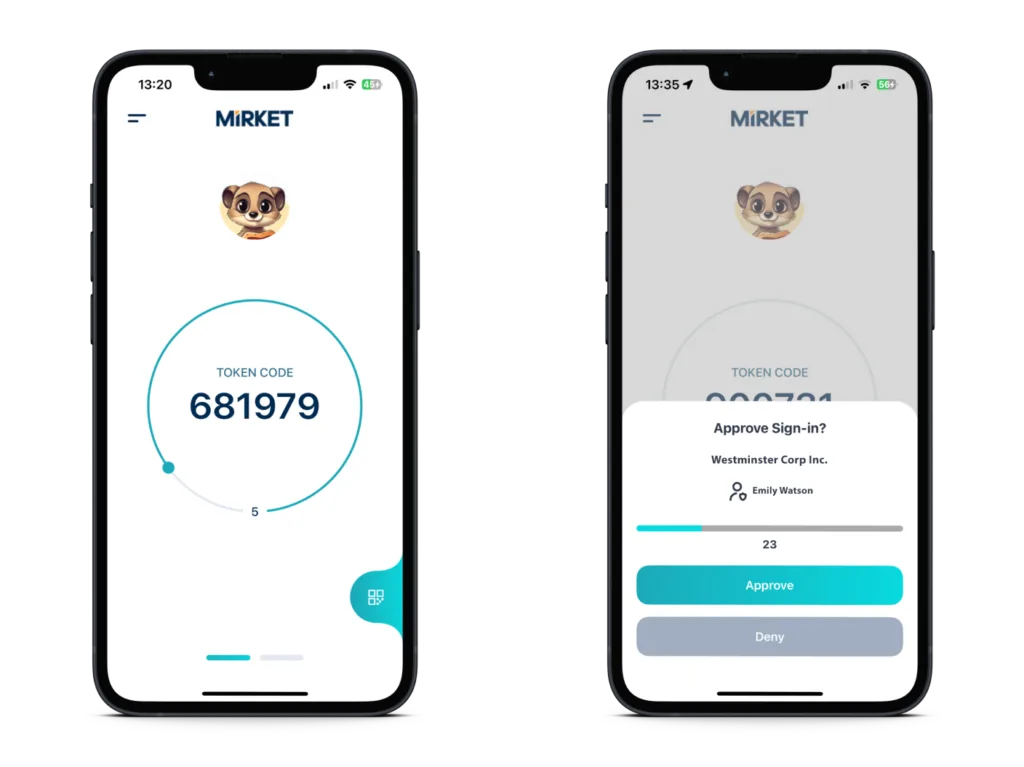
Every user should have an individual identity, protected by multi-factor authentication. Shared accounts make accountability difficult and should be removed wherever possible. Conditional access policies can then assess factors such as location, sign-in risk, device health and user role before granting access. Strong identity protection is the foundation.
Identity controls should also cover privileged accounts. Administrators need elevated access to manage systems, but that access should be tightly controlled, time-limited where practical and monitored closely. A compromised administrator account can bypass many other protections.
Good identity management also improves day-to-day operations. When an employee leaves, removing or disabling one identity should remove their access across the relevant services, rather than relying on separate manual changes in multiple systems.
Devices must prove they are safe enough to connect
A legitimate user on an unmanaged or compromised device is still a risk. Endpoint security gives the business a view of whether a device has encryption enabled, current security updates, approved anti-malware protection and an active screen lock.
Policies do not need to be unnecessarily rigid. A fully managed company laptop may be permitted to access sensitive services, while a personal device might only be allowed to use browser-based applications with no downloads. The objective is proportionate access, not a blanket restriction that encourages staff to find workarounds.
Endpoint, identity and email security should be treated as connected controls. A phishing email that captures a password is less damaging when multi-factor authentication, device checks and least-privilege access are also in place.
Segment the network to contain problems
Network segmentation prevents every system from communicating with every other system by default. It separates business functions, devices and sites into controlled zones, with explicit rules for the traffic allowed between them.
For example, guest Wi-Fi should not reach internal systems. VoIP handsets, CCTV, building controls and employee devices should be separated where appropriate. Server management interfaces should only be available to authorised administrators. In a multi-site environment, segmentation should apply across the WAN as well as within each location.
This does require planning. Overly aggressive segmentation can disrupt applications that rely on unexpected connections, especially older line-of-business software. Start by understanding normal traffic flows, then apply controls in stages with monitoring and a clear rollback plan. Experienced network consultancy helps get the design right.
Application access should replace broad network access
Zero trust network access, often called ZTNA, connects a verified user to a specific application rather than placing them on the whole internal network. The application can remain hidden from the public internet, and access can be withdrawn immediately when the user, device or session no longer meets policy.
ZTNA is not always a direct replacement for a VPN. Some legacy applications, infrastructure administration tasks and specialist workflows may still require network-level connectivity. In those cases, the safer approach is to limit access by role, device and destination, then log activity carefully.
The connectivity foundation still matters
Security controls depend on reliable connectivity. If every office, cloud application and remote worker is forced through a single connection or central firewall, performance and resilience can suffer. Staff may experience slow applications, poor call quality or failed sign-ins, particularly when cloud traffic is backhauled unnecessarily.
A well-designed SD-WAN can support zero trust principles by directing traffic according to application, policy and connection quality. Critical services such as hosted voice, cloud applications and security inspection can receive the right priority. A site can use dedicated internet access for predictable performance, with separate backup connectivity for continuity if the primary service fails.
For multi-site businesses, this provides more than speed. It gives IT teams consistent policy enforcement and visibility across locations, even where sites have different access technologies. A small branch using full fibre can operate within the same security framework as a larger office using a leased line.
The design choice depends on risk and operational need. A site handling sensitive data or supporting a busy contact centre may justify dedicated, uncontended connectivity with defined service levels. A low-usage location may be adequately served by business-grade fibre with a resilient failover option. Zero trust does not remove the need to assess capacity, latency and availability.
A practical zero trust rollout
Start with an accurate picture of your current environment. Identify users, devices, applications, data stores, office locations, internet connections and third parties. This often exposes forgotten accounts, unsupported devices or services that are accessible more widely than expected.
Next, prioritise the systems that would cause the greatest disruption if compromised. Financial platforms, customer data, email, cloud administration, remote access and core line-of-business applications are usually early candidates. Apply multi-factor authentication and least-privilege access first, then add device compliance requirements and more granular policies.
Avoid attempting to redesign the entire network in one project. A staged programme creates less operational risk. Pilot controls with a defined group of users, measure application performance and support demand, then refine the policy before wider deployment. This is particularly valuable where remote staff, specialist applications or multiple sites are involved.
Document who owns each part of the service. Security projects can fail when responsibility is split between an internet provider, internal IT, a cloud supplier and separate security vendors, with no clear route for fault resolution. One accountable UK team for managed IT support and security oversight can reduce delay when an incident or service issue needs urgent attention.
Common mistakes to avoid
The first mistake is treating zero trust as a firewall replacement. Firewalls remain useful, but they are one element of a wider control set. The second is focusing only on technology while leaving access processes unchanged. Regular access reviews, prompt offboarding and staff awareness are essential.
Another common issue is applying strict controls without explaining the reason or providing support. Employees need a clear route to resolve a blocked sign-in, replace a non-compliant device or request access to a new application. A responsive helpdesk and sensible policy exceptions keep security from becoming a barrier to productive work.
Finally, do not overlook resilience. Security services, identity platforms and internet access are now central to how employees work. Test failover connections, review dependency on single providers and confirm that essential teams can continue operating during an outage.
The most effective zero trust programme is one that becomes part of normal business operations: access is reviewed, devices are maintained, connectivity is resilient, and exceptions are visible rather than informal. That is how stronger controls support continuity rather than simply adding another layer of administration.